Infographics are graphic visual representations of data and information. They come in extremely handy when you need to explain complex information, numbers or data rather quickly and effectively. Infographics are used worldwide from magazines to metro stations. A great infographic can render complicated information easily understandable and engrossing. However, infographics can be pretty hard to design since you have to gather together a lot of information and make it look good. In this article you’ll find some tips for designing outstanding infographics as well as some resources and inspiration.


The World’s Most Disastrous Oil Spills is the title for an infographic created by Travel Insurance. Their infographic answers the question precisely. After the map with biggest oil spills they’ve added more significant and interesting facts. This is a prime example of being concise and relevant.

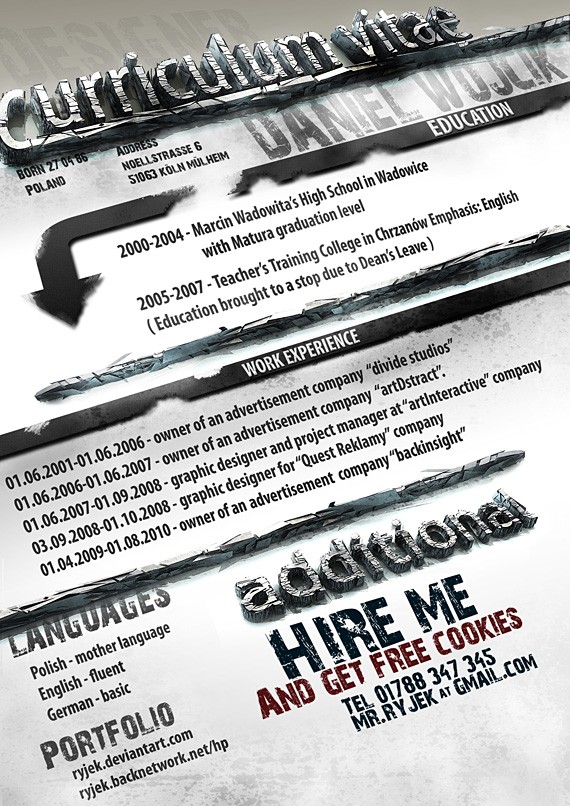
This graphic, supplied by Minicrane-Hire provides some information about the original UNIC mini-spidercrane, which is celebrating its 8th anniversary this year. The design is definitely unique and creative,and is more about catchy and light facts than a serious analysis, so the emphasis is on creativity. The design is sort of grungy and resembles a poster. It’s really pleasing and engaging.

This infographic by Rackscape is an outstanding example of visualization in infographics. They’ve created a graphic about bytes, which may seem quite boring, though they’ve managed to make it extremely enjoyable and interesting. Each piece of information is accompanied by a large colorful illustration so the infographic is easy to comprehend.

This infographic about earthquakes is a collaboration between GOOD and Column Five Media. Design is not playing the main role in this graphic though the information and facts are very applicable and neatly organized. They’ve includes some important facts together with some demonstrative graphs.

This is another collaboration between GOOD and Column Five Media. They’ve created an infographic about electricity and energy supplies in Africa. It’s a complex subject so some people might want to look deeper into it. Though they’ve not included direct links, there is the list of sources used in the bottom of infographic.

In this infographic by Column Five Media we can see perfect proportions being used. They’re using proportional semicircles to compare goods purchased in store with goods purchased online. The radius ratio of circles ideally matches the ratio of numbers.

This infographic by Visions Service Adventures is a perfect example of appropriate infographic design. They’ve made an infographic about struggling countries in the world so they’ve included a world map as well as some illustrative icons and illustrations that reflect on the topic.

What’s The Deal With Bloggers by Flowtown is a great example of simplicity in infographics. They’ve used a plain background, solid colors and simple charts to present the data. The result is a splendid, demonstrative and easy to understand infographic.

FlowingData explores how designers, statisticians, and computer scientists are using data to understand ourselves better – mainly through data visualization. Money spent, reps at the gym, time you waste, and personal information you enter online are all forms of data. How can we understand these data flows? Data visualization lets non-experts make sense of it all.

Information Aesthetics is a weblog that explores the symbiotic relationship between creative design and the field of information visualization. More specifically, it collects projects that represent data or information in original or intriguing ways.

Infographics Showcase is collecting the best of the web infographics with a nod to some exciting graphic design. If you love information communicated in a visually appealing and simple manner then you are in the right place.

David McCandless, is a London-based author, writer and designer. He’s written for The Guardian, Wired and others. He’s into anything strange and interesting. Information Is Beautiful is his blog where you’ll find visualized ideas, issues, knowledge and data.

Cool Infographics is a blog that highlights some of the best examples of data visualizations and infographics found in magazines, newspapers and on the Internet.

Frank Jacobs loves maps, but finds most atlases too predictable. He collects and comments on all kinds of intriguing maps—real, fictional, and what-if ones—and has been writing the Strange Maps blog since 2006.

Chart Porn is compiled by Washington DC based economist/artist Dustin Smith. This site grew out of an admiration for all the amazing data analysis work being done in the world, and the desire to pull it all together in one place. The blog’s original focus on economics and graphic design has expanded over time to cover a wide range of topics.

VisualComplexity intends to be a unified resource space for anyone interested in the visualization of complex networks. The project’s main goal is to leverage a critical understanding of different visualization methods, across a series of disciplines, as diverse as Biology, Social Networks or the World Wide Web.

Data Visualization is a transversal discipline which harnesses the immense power of visual communication in order to explain, in an understandable manner, the relationships of meaning, cause and dependency which can be found among the great abstract masses of information generated by scientific and social processes.

Infographics News is a blog dedicated primarily to news, curiosities and information about infographics. They also cover news related to data visualization and unusual infographics.

U.S. Census Bureau is the leading source of quality data about the nation’s people and economy. They provide the best mix of timeliness, relevancy, quality, and cost for the data they collect and provide. This website contains the Census Bureau’s Statistical Quality Standards, information quality guidelines, and procedures to seek correction of information that does not comply with the information quality guidelines.

Gallup Daily News provides unique, unrivaled insight into the political, economic, and social issues of the moment. Gallup Daily and global tracking make Gallup Daily News a must-read for audiences that need the most accurate and up-to-date information on the thoughts of people around the world.

Thomson Reuters is the world’s largest international multimedia news agency, providing investing news, world news, business news, technology news, headline news, small business news, news alerts, personal finance, stock market, and mutual funds information available on Reuters.com, video, mobile, and interactive television platforms.
MBendi Information Services (Pty) Ltd is a privately owned Internet business publishing company founded in 1995 and based in Cape Town, South Africa. The company uses the Internet to support business and political decision makers worldwide.
Here at NumberOf they try to answer the question that begins with “How Many..?”. All the facts are divided into five different categories. In order to keep the facts correct, they verify each fact after 6 months of its last modification.

Nation Master is a massive central data source and a handy way to graphically compare nations. NationMaster has a vast compilation of data from such sources as the CIA World Factbook, UN, and OECD. Using the form above, you can generate maps and graphs on all kinds of statistics with ease.

The Economic Research Service is a primary source of economic information and research in the U.S. Department of Agriculture. With over 350 employees, ERS conducts a research program to inform public and private decision making on economic and policy issues involving food, farming, natural resources, and rural development.

EveryBlock filters an assortment of local news by location so you can keep track of what’s happening on your block, in your neighborhood and all over your city. They aim to collect all of the news and civic goings-on that have happened recently in your city, and make it simple for you to keep track of news in particular areas. They’re a geographic filter — a “news feed” for your neighborhood, or, yes, even your block.

Guardian News & Media (GNM) is the national division of Guardian Media Group. It publishes the Group’s flagship national newspapers – the Guardian and the Observer – as well as Guardian Weekly, one of the world’s best-selling international weekly newspapers, and the guardian.co.uk website. Their Data Blog is an awesome place to find infographics and data visualization daily.

This site is meant to provide all users with improved access to World Bank data and to make that data easy to find and use. The World Bank recognizes that transparency and accountability are essential to the development process and central to achieving the Bank’s mission to alleviate poverty.

Freebase is an open, Creative Commons licensed repository of structured data of almost 20 million entities. An entity is a single person, place, or thing. Freebase connects entities together as a graph. Most of the topics are associated with one or more types (such as people, places, books, films, etc) and may have additional properties like “date of birth” for a person or latitude and longitude for a location. These types and properties and related concepts are called Schema.

GeoCommons enables everyone to find, use and share geographic data and maps. Easily create rich interactive visualizations to solve problems without any experience using traditional mapping tools.

Transparency Data is a central source for federal lobbying disclosure, federal grants and contracts, earmarks and federal and state campaign contributions. Here you can begin your search, find the information you need, and then download records of what a candidate has received, what an individual has given, how much an organization has spent on lobbying, and many other queries.

The mission of the Organisation for Economic Co-operation and Development (OECD) is to promote policies that will improve the economic and social well-being of people around the world. OECD.Stat includes data and metadata for OECD countries and selected non-member economies.

A leader in health policy and communications, the Kaiser Family Foundation is a non-profit, private operating foundation focusing on the major health care issues facing the U.S., as well as the U.S. role in global health policy. Unlike grant-making foundations, Kaiser develops and runs its own research and communications programs, sometimes in partnership with other non-profit research organizations or major media companies.

Launched in May 2010, DataMarket is a data portal that provides access to statistics and structured data from various public and private sector organizations. This enables users to find, compare, visualize and download statistics from organizations such as the UN, World Bank, Eurostat, Gapminder and others in a single place. Time series can be linked to news events and any selected data can be downloaded in a format suitable for use elsewhere, e.g. in Excel.

Data Marketplace makes it easy for people to find, buy and sell data online. Most data must be aggregated, cleaned, and analyzed to extract useful information. It doesn’t make sense that the same person should do all of these things. Data Marketplace connects people who need data with people who are good at collecting, cleaning, and analyzing it.

Infochimps is a place to find, sell and share data with others. It comes in two forms on our site: Data Sets: Instantly available for download. Some are free and some are for sale. Data APIs: Available with a simple subscription and an API key. Access very large or frequently updated data sets in minutes without having to host or scrape anything.


5. Happy Birthday Formula

7. Visualizing Daily Activities With Media Wheel


Succinctness
When creating an infographic your main goal is to answer a specific question or problem. Broach a question you want to cover in your graphic and start by answering it concisely. After you’ve done that you can add additional facts or information to make your graphic broader. Being concise about your topic will also help to create a more effective visualization of the graphic.The World’s Most Disastrous Oil Spills is the title for an infographic created by Travel Insurance. Their infographic answers the question precisely. After the map with biggest oil spills they’ve added more significant and interesting facts. This is a prime example of being concise and relevant.
Creativity
Ingenuity and design is what separates an infographic from the simple charts you see elsewhere. Think of an infographic as a poster in which you can express yourself while keeping in mind the information you have to include. Don’t be afraid to use typography, illustrations, icons or other design elements. Creativity and a bit of an audacious design will make your infographics stand out.This graphic, supplied by Minicrane-Hire provides some information about the original UNIC mini-spidercrane, which is celebrating its 8th anniversary this year. The design is definitely unique and creative,and is more about catchy and light facts than a serious analysis, so the emphasis is on creativity. The design is sort of grungy and resembles a poster. It’s really pleasing and engaging.
Visualization
You don’t want your infographic to be just plain text. Plain data is boring and can sometimes be hard to comprehend. Use geometric shapes, charts, diagrams, anything that can help people visualize your data. If possible, replace words with icons or symbols. Of course, you have to keep the information front and center since that’s the ‘info’ in infographic. Nevertheless, remember that nowadays people are a lot more visual thanks to technology, and aren’t as interested in plainly presented information.This infographic by Rackscape is an outstanding example of visualization in infographics. They’ve created a graphic about bytes, which may seem quite boring, though they’ve managed to make it extremely enjoyable and interesting. Each piece of information is accompanied by a large colorful illustration so the infographic is easy to comprehend.
Organization
Precise and well-organized information is the basis of any great infographic. Compare various information sources, make sure your acquired data is objective and relevant enough. Even the most elegant design won’t attract readers if the information is incorrect. Sometimes Google won’t be enough, you’ll have to visit a library or even turn to an expert. Infographics will be easier to create if you have some prior knowledge about the topic, or have a really good idea where to research the information. Information organization is one of the most essential things when designing an infographic. You have to try to organize your information contextually and visually.This infographic about earthquakes is a collaboration between GOOD and Column Five Media. Design is not playing the main role in this graphic though the information and facts are very applicable and neatly organized. They’ve includes some important facts together with some demonstrative graphs.
Transparency
Infographics can be subjective and lead readers to biased conclusions. Always cite your information sources and give readers the chance to explore the information deeper if they want to. Give them the opportunity to find additional information straight from your infographic. Don’t hide your information (no matter how ‘top secret’ you think the source is) because you’re publishing the graphic one way or another.This is another collaboration between GOOD and Column Five Media. They’ve created an infographic about electricity and energy supplies in Africa. It’s a complex subject so some people might want to look deeper into it. Though they’ve not included direct links, there is the list of sources used in the bottom of infographic.
Accuracy
Be accurate and precise when designing infographics. It’s easy to make mistakes when you’re trying to scale your data in charts and graphics. Use different sizes and shapes that visualize data, but don’t be excessive. You should never draw the shapes by hand and without a base scale. Use mathematical equations, compare the numbers and then use the same proportions in graphics.In this infographic by Column Five Media we can see perfect proportions being used. They’re using proportional semicircles to compare goods purchased in store with goods purchased online. The radius ratio of circles ideally matches the ratio of numbers.
Relevance
Find the style and look that fits your infographic. If you’re creating an infographic about an important and sensitive topic don’t make it bright and dashing. Choose a design that’s appropriate and reflects the topic best.This infographic by Visions Service Adventures is a perfect example of appropriate infographic design. They’ve made an infographic about struggling countries in the world so they’ve included a world map as well as some illustrative icons and illustrations that reflect on the topic.
Simplicity
Don’t exaggerate with visual elements and the amount of information in infographics. Having a neatly-designed and informative infographic is good, but too much detail can make it too scattered and difficult to comprehend. Knowing your target audience will also help you to adjust the visual complexity and design of the infographic. If you’re designing an infographic, let’s say, for a poster that’s going to be seen on a streetlight a simple infographic is more likely to attract attention. People are not willing to spend time on complex graphics and data if they’re in rush. However if you’re creating an infographic for a magazine you can afford to include more complicated charts and in-depth information because it’s more likely that people will spend more time looking at your infographic.What’s The Deal With Bloggers by Flowtown is a great example of simplicity in infographics. They’ve used a plain background, solid colors and simple charts to present the data. The result is a splendid, demonstrative and easy to understand infographic.
Blogs & Related Sites
Just like with web design, there are many blogs out there dedicated to infographics and data visualization. Even if you’re not so interested in infographics you can find really useful and interesting information on some of them. Below you’ll find 10 of the best blogs and websites dedicated to infographics, data visualization and the art of information.1. Flowing Data
FlowingData explores how designers, statisticians, and computer scientists are using data to understand ourselves better – mainly through data visualization. Money spent, reps at the gym, time you waste, and personal information you enter online are all forms of data. How can we understand these data flows? Data visualization lets non-experts make sense of it all.
2. Information Aesthetics
Information Aesthetics is a weblog that explores the symbiotic relationship between creative design and the field of information visualization. More specifically, it collects projects that represent data or information in original or intriguing ways.
3. The Infographics Showcase
Infographics Showcase is collecting the best of the web infographics with a nod to some exciting graphic design. If you love information communicated in a visually appealing and simple manner then you are in the right place.
4. Information Is Beautiful
David McCandless, is a London-based author, writer and designer. He’s written for The Guardian, Wired and others. He’s into anything strange and interesting. Information Is Beautiful is his blog where you’ll find visualized ideas, issues, knowledge and data.
5. Cool Infographics
Cool Infographics is a blog that highlights some of the best examples of data visualizations and infographics found in magazines, newspapers and on the Internet.
6. Strange Maps
Frank Jacobs loves maps, but finds most atlases too predictable. He collects and comments on all kinds of intriguing maps—real, fictional, and what-if ones—and has been writing the Strange Maps blog since 2006.
7. Chart Porn
Chart Porn is compiled by Washington DC based economist/artist Dustin Smith. This site grew out of an admiration for all the amazing data analysis work being done in the world, and the desire to pull it all together in one place. The blog’s original focus on economics and graphic design has expanded over time to cover a wide range of topics.
8. Visual Complexity
VisualComplexity intends to be a unified resource space for anyone interested in the visualization of complex networks. The project’s main goal is to leverage a critical understanding of different visualization methods, across a series of disciplines, as diverse as Biology, Social Networks or the World Wide Web.
9. Data Visualization
Data Visualization is a transversal discipline which harnesses the immense power of visual communication in order to explain, in an understandable manner, the relationships of meaning, cause and dependency which can be found among the great abstract masses of information generated by scientific and social processes.
10. Infographics News
Infographics News is a blog dedicated primarily to news, curiosities and information about infographics. They also cover news related to data visualization and unusual infographics.
Information Sources & Resources
Information quality is crucial in infographics. If you have to work with infographics quite often, having a resource and data library is very important. I’ve gathered some of the best free websites and services that offer high-quality current data in many categories.1. U.S. Census Bureau
U.S. Census Bureau is the leading source of quality data about the nation’s people and economy. They provide the best mix of timeliness, relevancy, quality, and cost for the data they collect and provide. This website contains the Census Bureau’s Statistical Quality Standards, information quality guidelines, and procedures to seek correction of information that does not comply with the information quality guidelines.
2. Gallup
Gallup Daily News provides unique, unrivaled insight into the political, economic, and social issues of the moment. Gallup Daily and global tracking make Gallup Daily News a must-read for audiences that need the most accurate and up-to-date information on the thoughts of people around the world.
3. Reuters
Thomson Reuters is the world’s largest international multimedia news agency, providing investing news, world news, business news, technology news, headline news, small business news, news alerts, personal finance, stock market, and mutual funds information available on Reuters.com, video, mobile, and interactive television platforms.
4. Mbendi

5. NumberOf

6. Nation Master
Nation Master is a massive central data source and a handy way to graphically compare nations. NationMaster has a vast compilation of data from such sources as the CIA World Factbook, UN, and OECD. Using the form above, you can generate maps and graphs on all kinds of statistics with ease.
7. Economic Research Service
The Economic Research Service is a primary source of economic information and research in the U.S. Department of Agriculture. With over 350 employees, ERS conducts a research program to inform public and private decision making on economic and policy issues involving food, farming, natural resources, and rural development.
8. Every Block
EveryBlock filters an assortment of local news by location so you can keep track of what’s happening on your block, in your neighborhood and all over your city. They aim to collect all of the news and civic goings-on that have happened recently in your city, and make it simple for you to keep track of news in particular areas. They’re a geographic filter — a “news feed” for your neighborhood, or, yes, even your block.
9. Guardian Data Blog
Guardian News & Media (GNM) is the national division of Guardian Media Group. It publishes the Group’s flagship national newspapers – the Guardian and the Observer – as well as Guardian Weekly, one of the world’s best-selling international weekly newspapers, and the guardian.co.uk website. Their Data Blog is an awesome place to find infographics and data visualization daily.
10. World Bank Data
This site is meant to provide all users with improved access to World Bank data and to make that data easy to find and use. The World Bank recognizes that transparency and accountability are essential to the development process and central to achieving the Bank’s mission to alleviate poverty.
11. Freebase
Freebase is an open, Creative Commons licensed repository of structured data of almost 20 million entities. An entity is a single person, place, or thing. Freebase connects entities together as a graph. Most of the topics are associated with one or more types (such as people, places, books, films, etc) and may have additional properties like “date of birth” for a person or latitude and longitude for a location. These types and properties and related concepts are called Schema.
12. Geo Commons
GeoCommons enables everyone to find, use and share geographic data and maps. Easily create rich interactive visualizations to solve problems without any experience using traditional mapping tools.
13. Transparency Data
Transparency Data is a central source for federal lobbying disclosure, federal grants and contracts, earmarks and federal and state campaign contributions. Here you can begin your search, find the information you need, and then download records of what a candidate has received, what an individual has given, how much an organization has spent on lobbying, and many other queries.
14. OECD Statistics
The mission of the Organisation for Economic Co-operation and Development (OECD) is to promote policies that will improve the economic and social well-being of people around the world. OECD.Stat includes data and metadata for OECD countries and selected non-member economies.
15. Kaiser Family Foundation
A leader in health policy and communications, the Kaiser Family Foundation is a non-profit, private operating foundation focusing on the major health care issues facing the U.S., as well as the U.S. role in global health policy. Unlike grant-making foundations, Kaiser develops and runs its own research and communications programs, sometimes in partnership with other non-profit research organizations or major media companies.
Premium Resources
Finding high-quality data newspapers and other free services and sorting it in the way you need it can often be quite frustrating and time-consuming. We’d all love to get the exact data we need neatly delivered and as cheap as possible. I’ve gathered a couple of premium data marketplaces and sources for you to find dozens of high-quality data sheets. You can also make a requests for specific data you’re looking for. Unfortunately, I was able to find only three services, so if you know some more you could share them in the comments section.1. Data Market
Launched in May 2010, DataMarket is a data portal that provides access to statistics and structured data from various public and private sector organizations. This enables users to find, compare, visualize and download statistics from organizations such as the UN, World Bank, Eurostat, Gapminder and others in a single place. Time series can be linked to news events and any selected data can be downloaded in a format suitable for use elsewhere, e.g. in Excel.
2. Data Marketplace
Data Marketplace makes it easy for people to find, buy and sell data online. Most data must be aggregated, cleaned, and analyzed to extract useful information. It doesn’t make sense that the same person should do all of these things. Data Marketplace connects people who need data with people who are good at collecting, cleaning, and analyzing it.
3. Infochimps
Infochimps is a place to find, sell and share data with others. It comes in two forms on our site: Data Sets: Instantly available for download. Some are free and some are for sale. Data APIs: Available with a simple subscription and an API key. Access very large or frequently updated data sets in minutes without having to host or scrape anything.
Inspiration
1. The Dangers of Driving
2. How Would You Like Your Graphic Design?
3. United States of Unhappy Campers
4. Digital Nostalgia
5. Happy Birthday Formula 
6. The Potato Lifecycle
7. Visualizing Daily Activities With Media Wheel 
8. Treni ad alta velocità
9. How Developmental Aid Flows Around The Globe
10. My Head Hurts
11. The Ride of Your Life
12. iPod plus iTunes Timeline
13. How Coffee Affects the Global Economy
14. Bus Ride 37 Mintutes
15. Periodic Table of Typefaces