Showing posts with label Tutorials. Show all posts

Feb 7, 2018

10 Free CSS & JavaScript Snippets for Creating Animated Loaders

Custom loading bars offer a way for websites to update visitors using strong visuals. Sometimes a static “loading” message isn’t always enough!
And if you want to add a custom loading bar to your website then this collection is sure to have something that’ll suit your needs.

1. Loading Bar with Counter


Nicolas Slatiner created this incredible loading bar with a top tab displaying the loading percentage. It moves along with a custom animation that can be changed using JavaScript.
But the best part is the animated bar design and the clean style. This loading bar would fit on any website and it offers an incredible user experience.

2. Light Loader

If you prefer a simpler loading spinner with a twist, then this light loader might be just what you’re looking for. It uses the starburst shape coupled with pure CSS3 animations to create a loading effect that draws the eye.
You can adjust the animation style and loading time all in CSS which is pretty neat. And the shapes are all created using CSS too so you can adjust the size, speed, and structure of the starburst icon.

3. Multi-Animated Loader

Perhaps the most complex loading feature I’ve ever seen is this circle created by Glen Cheney. It does use a few lines of JavaScript to add a show/hide feature but this isn’t required for the circle animation to work.
So you can get this thing running on your site in pure CSS3 with options to change the color, size, and speed. My favorite part of this animation is the off-kilter look where the center rotates against the outside.
It offers a really cool effect that just grabs the eye.

4. Canvas Fractal Loader

This striped fractal canvas loading icon feels like an old-school Windows screensavers. This technique uses a lot of JavaScript to make the looping effect and to keep the color transition consistent.
Even though it’s called a canvas element it does not use a canvas element on the page. Instead it’s powered by Sketch.js which is a natural canvas library. Awesome design if you like the fractal style and don’t mind toying with JavaScript to get it running on your site.

5. OuroboroCSS Loaders

The OuroboroCSS loaders are a unique creation from developer Geoffrey Crofte. These loaders are powered by pure CSS and they operate on a repeating animation cycle that gives the illusion of disappearing into the shape.
I like this design more for internal loaders rather than a full-page loader. It’s quaint and easy to spot from a distance, but not so powerful as to take up the entire page.

6. Thermometer Loader

This custom thermometer-style loader feels more like an amazing proof of progress rather than a practical element for your website. But creator Hugo Giraudel really pushed the limits of CSS with this loader moving through a number of different colors from bottom to top.
It only has three HTML elements nested inside each other and the colors and animations are all pure CSS which is breaktaking.

7. Three.js Loader

I have to throw this into the collection just because it’s so darn cool. This Three.js loader by Lennart Hase uses the free Three.js 3D library to create a rotating cube on a small surface.
The animation is controlled through JavaScript and WebGL rendering. 3D design is much more prominent on the web these days and this code snippet is proof of how much you can accomplish.

8. Organic Circle

This crazy canvas circle loader reminds me of air traffic radars or the types of blips you’ll see on submarines. It’s built entire on the HTML canvas element using ctx and JavaScript calls to create this effect from scratch.
You may not find a great way to work this into your site, but you have to admit this thing is impressive.

9. Simple Circle Rotator

Short, sweet, and to the point best describes this canvas loader. It rotates the inner circle of a canvas element infinitely with some basic JavaScript controlling the animation.
I do think this rotator is simple enough to fit onto any site and it’s pretty easy to customize too. Everything runs through JS code so you won’t even need to copy the CSS at all.

10. Pure CSS Loader Dots

Another simple yet fun example is this pure CSS loader with alternating dots moving in & out of view. It’s one of the coolest loading effects that really gets the point across without being too blatant.
You can fit this onto any page and it’s simple to setup. The dot shapes and animations run through CSS and there’s no JavaScript required.

Wrapping Up

If you’re looking for a custom loader for your website then I guarantee you’ll find something here. These loaders are wildly diverse but they can all work well for different projects.
Take another look at this collection to see what you can find and feel free to customize these snippets for your own use.


Oct 16, 2017

Angular 4 – Tutorial from scratch


Hello everyone, Angular,  as you may already know is one of the powerful and popular JavaScript frameworks. There are currently 3 versions of Angular, in which Angular 4 is the latest. Angular 2, the second version, was completely rewritten to provide more flexibility and more ease in development, then AngularJS, the first version. Angular 4 is the update to the Angular 2 and has the backward compatibility support. Angular is used to create SPA which stands for Single Page Application. The SPA helps in smooth user experience as the page gets loaded at one time only and routing is also done on the same page removing the page to reload.
So, this is the quick brief about the Angular framework, as the Angular 4 is the latest, there are very few tutorials on the internet, most of them are not complete or paid. So, I thought of writing a complete tutorial for Angular 4 and will be trying to cover all the features of Angular 4.  To start with Angular 4, knowledge of AngularJs or Angular 2 is not required at all. It will be helpful if you some experience with HTML, CSS and JavaScript. Also though the Angular 4 uses TypeScript, it is not required to learn TypeScript, JavaScript knowledge will be enough.

Getting Started

With Angular 2, Angular CLI was introduced which stands for Angular Command Line Interface. Angular CLI runs on node JS and helps in the quick creation of the new Angular application. To start creating an application first we need to install Angular CLI and for that, we need to have Node js. To install Node js click on the link  https://nodejs.org/en/download/current/ and install for your platform. After installing Node js open the command terminal, as I m using windows so I’ll open a command prompt. To install Angular CLI type
npm install -g @angular/cliwhere npm stands for Node Package Manager, -g for global to use it globally in the system. To check if Angular CLI is installed properly you can use command
ng –versionto check the version.

Creating Angular 4 Application

Now we can start creating our Angular 4 application. To create a new project, we will be using Angular CLI and will type the command
ng new new-angular-appThis command will create the default structure and files with needed for the development of the project. It will take some time to download the files. After it is completed you will have a configured Angular 4 project. Now let’s see the structure and files inside the folder. I ‘ll be using the Microsoft Visual Studio Code IDE for my development as its free and powerful. Let see the created directories and files for our new angular app.
Inside the root directory, you’ll see 3 folders, e2e which is an end to end testing which we ‘ll be using later. The second one is the node_modules folder which contains the angular files and other required classes for development. We don’t have to do anything in this folder. The last one is the src or the source folder which contains the development files and index.html.
We have some other files which we may not require as default configuration is sufficient for running the application. We ‘ll be doing our development inside the src folder only. In this app, the folder contains the components. Images and other media files can be stored in assets  folder. Environment variables configurations are in the environment folder which as of now we don’t need to change. Out of the other files, we will be using, index.html (rarely) for few imports of style libraries, style.css for application level styling and favicon.ico to change the favicon. Others we can leave to default.

 Inside the app folder except for app.module.ts  all other files will be there for every new component we create. In Angular we can create different components for a different purpose and include it using the selector, we will get in detail later. Every component as app.component.css, which contains styling instructions, app.component.html, which contains the HTML code for that component, app.component.ts, which acts like and controller class and all the javascript code related to events and functionalities are written in this file. For component level unit testing app.component.ts, is there. During development, we will be using various dependencies for Angular libraries which need to imported and added to app.module.tsfile.
This was about the structure of Angular 4 files, now lets start and check the app is working or not. Angular CLI provides a server which we can start and check the output in the browser. To start that go inside the application folder in command prompt and type ng serve this will compile and deploy the app on the local server, which can be accessed through http://localhost:4200 (to change port number ng serve –port_no ). So let’s start the app and see if it is working fine.
Application compiled successfully. Let’s see the output.
As you can see the default page, means the app server is working fine. In the next tutorial, we will start development of a cool and reactive app using Angular 4 and Angular Material. Before that let’s understand some basics of Angular 4

Oct 7, 2016

10 jQuery Security Plugins

How secure is your password? If you are confident enough that no hacker can break your pass codes then you might have to think again. Below are some tutorials that you might want to learn to secure you passwords. Be safe!

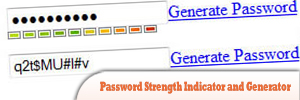
1. Password Strength Indicator and Generator

This plugin lets you set the class of an element so that you can do a graphical representation of the strength.
Password-Strength-Indicator-and-Generator.jpg
Source

2. jQuery AlphaNumeric

It is a JavaScript control plugin that allows you to limit what characters a user can enter on textboxes or textareas.
jQuery-AlphaNumeric1.jpg
Source

3. jCryption

t is a JavaScript HTML-Form encryption plugin, which encrypts the POST/GET data submitted by forms.
jCryption.jpg
Source

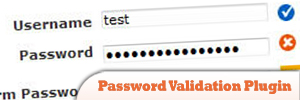
4. Password Validation Plugin

This plugin offers a function that rates passwords for factors like mixed upper/lower case, mix of characters (digits, special characters), length and similarity to a username (optional) and gives a custom method for the validation plugin that uses the rating function to display a password strength meter, requiring the field to have a “good” rating.
Password-Validation-Plugin.jpg
Source

5. Password Strength – Estimates brute force time

This plugin tries to calculate how many possibilities the hacker needs to try to guess your password. It makes the assumption that it is possible to test 2800 million passwords per second.
Password-Strength-–-Estimates-brute-force-time.jpg
Source

6. Password Strength Meter v2

This plugin works by presenting a global variable score and at the end of the algorithm the plugin will decide the passwords strength according to the score value.
Password-Strength-Meter-v2.jpg
Source

7. jQuery-Encoder

It is a jQuery plugin whose goal is to provide jQuery developers with a means to do contextual output encoding on untrusted data. As applications become more and more reliant on rich client technologies the need for client-side code to have the ability to properly escape untrusted data becomes exponentially more important.
jQuery-Encoder.jpg
Source

8. ChronoStrength

It is a password strength checking plugin. However, rather than just saying “Too Weak” or “Strong”, which don’t really mean much, ChronoStrength displays how long it would take a regular desktop PC to crack the password using a brute-force attack. Seeing that their password would only take 30 seconds to crack might convince people to choose a more secure one!
ChronoStrength.jpg
Source

9. jqCrypt

A simple jQuery plugin to encrypt form data client-side and pass it (with an obfuscated key) to the processor via the POST method.
jqCrypt.jpg
Source

10. RC4 Symmetric Encryption/Decryption

Extends RC4 symmetric encryption/decryption to JQuery. Less than 3KB.
RC4-Symmetric-Encryption-or-Decryption.jpg
Source

Sep 7, 2016

31 Best Websites for Scoring Freebies

As the world becomes even more commercialized, an increasing amount of free stuff can be had through discount offers, recycling efforts and Internet loss leaders. Learning where to look for these deals and free samples can save you a significant amount of money on a variety of stuff. Below are the 31 best websites to check out for free stuff, although not in any particular order:
1. Craigslist
While Craigslist has a mixed reputation -- users need to use caution and common sense when interacting with total strangers -- it is also a great source of free stuff. As the phenomenon known as freecycling becomes increasingly popular, Craigslist can be a great resource for finding these offers. Freecycling is based on the idea that many people have used items that have remaining useful life but they are replacing those items anyway. Rather than throwing these items away, the owners offer them to the general public for free.
2. FreeStuff.com
FreeStuff.com gives you access to free samples of common household items ranging from coffee to moisturizer. You can use this site to save money on many items you use or to try out new brands for free.
3. Yerdle
Yerdle describes itself as the "people-powered store."  The idea of the site is that the more stuff you give away, the more credits you earn with which to buy other things you might want on Yerdle without having to use cash. While this might seem like it takes more effort than throwing things out, you can get something instead of nothing for items you were going to put in the trash. Using a service like this could be a good option for items that you feel are too valuable to simply give away or throw away but that you're not having success selling.
4. FreeSamples.org
FreeSamples.org is a portal that gives you access to a variety of free product offers for things like household products as well as coupons for products and local restaurants. The offers are updated every day.
5. The Freecycle Network
The Freecycle Network is made up of nearly nine million members worldwide. It is dedicated to enabling members to get and give stuff for free in order to put goods to their most efficient use -- and keep usable items out of landfills. This nonprofit describes itself as a "grassroots movement," and local volunteer moderators help handle network activity to keep exchanges safe and posts accurate. Membership is free.
6. Woman Freebies
Offering people the chance to try before they buy, Woman Freebies supplies free samples, coupons and giveaways of products geared toward women, from candles and shoes to vacations. This site is a good place to look for fun stuff you need or even a cheap gift for your mom, sister, wife or girlfriend.
7. Drugs.com
Drugs.com is an online resource that offers a drug discount program. The free membership card can save you as much as 80% at major pharmacies, according to the website.
8. The ReUseIt Network
The ReUseIt Network serves as a portal to give you access and information on hundreds of freecycling groups worldwide. The site focuses on directing you to freecycling groups and resources in your local area.
9. Free Stuff Finder
Free Stuff Finder shares deals, giveaways and discounts offered both online and at popular retailers. The site shows you both the original price of an item and the price after coupons and discounts to break down your savings for you.
10. Target
Target has a free sample portal that allows you to try products for free. Furthermore, by signing for the store's Red Card, you can save 5 percent on every purchase. Know what you're signing up for before committing. Loyalty cards can come with perks but also typically track your purchases, which some consumer advocacy groups consider an invasion of privacy.
11. SweetFreeStuff.com
SweetFreeStuff.com offers an e-newsletter that includes regular access to great deals online and free samples. The website also lists giveaways and sweepstakes you can sign up for online.
12. Cardpool
Cardpoolis an online marketplace that allows you to purchase gift cards at a discount to use at your favorite stores. While the discount levels vary, there are some attractive deals to be found. You also can sell your gift cards for cash.
13. All You
Lifestyle website All You lists 59 birthday freebies. The site also provides coupons for groceries and household items as well as other exclusive deals.
14. The Penny Hoarder
In addition to listing 100 places that have free birthday offers, the Penny Hoarder offers advice on saving and earning money in unconventional ways.
15. HeyItsFree.com
Another site with a long list of birthday freebies, Hey It's Free also is a good source for free offers throughout the year. Find coupons for everything from free food and moisturizer to free comic books and codes for free rewards points.
16. Freaky Freddie's
In addition to deals on products for grown-ups, Freaky Freddie's has long list of free kids' stuff. Check out offers for books, T-shirts, coloring books and activities like roller skating.
17. Totally Free Stuff
Totally Free Stuff< offers dozens of categories of free stuff as well as daily updates. Search for things in categories for type of person or interest -- such as men, women, business, religious, wedding -- or by product type, such as kitchen, pet products, toys, sports and automotive.
18. I Love Free Things
I Love Free Things is another site with a diverse collection of free stuff for kids, from books to deals on fun activities like bowling. The site has dozens of other categories of free stuff for all ages as well.
19. Freeflys.com
Freeflys.com provides lists of free samples, coupons and coupon codes. You can search the site or look for items sorted by category or brand name.
20. Raise
Raise is an online marketplace that allows you to buy gift cards for products and services from over 1000 stores and restaurants at a discount. The site also gives you the option of selling unwanted or unused gift cards for cash.
21. Recycle the World
Recycle the World is another freecycling website that allows you to post and find free stuff. Whether you are looking to get rid of unwanted items or are looking for something specific, the site lets you target your local area. It also provides a search tool to help you find recycling centers near you.
22. Coupons.com
Couponing has grown from a trend into a lifestyle for many people, and the number of websites dedicated to providing access to coupons has exploded in recent years. As a leader in the industry showcasing more than 2,000 brands, Coupons.com offers multiple ways to get coupons online. You can use the site to print coupons, find coupon codes and find discounts to specific retailers that you can add to your credit or debit card.
23. SmartSource.com
Another great source of free coupons, SmartSource.com can help you save money on everything from beauty products and groceries to weight loss products and sanding sheets for your DIY projects.
24. The Krazy Coupon Lady
Extreme couponing website The Krazy Coupon Lady< is a great source for coupons from some of your favorite retailers, from discount stores like Walmart and Dollar Tree to high-end brands like Sephora. The site also features deals for stores like Home Depot as well as online retailers such as Amazon.
25. Freebie-Depot
Freebie-Depot has "hot lists" for everything from everyday offers to birthday giveaways across a range of products and services from various brands and retailers. Among its many categories, the site features a wedding freebies section with deals for people who are getting married or are recently married.
26. Lifehacker
While Lifehacker is known for unconventional solutions to everyday problems, the website often publishes articles on how and where to save money, such as a feature on the best retail and restaurant birthday freebies.
27. Freebies.org
In addition to providing access to a variety of offers, Freebies.org offers tips and tricks on how to save money as well as its Complete Guide to Freebie Hunting.
28. I Crave Freebies
Similar to other online sources of free samples, I Crave Freebies offers links to coupons for discounts and free product samples. It also provides links to sites that pay you to take surveys.
29. GetItFree
Updated daily, GetItFree finds free offers for everything from food to household products. As you browse the site, you can add coupons, deals, freebies and sweepstakes offers to your basket just like you would when shopping online.
30. Freebies.com
Freebies.com started as a print magazine more than 30 years ago. As a digital resource, it continues to provide a blend of both products and services that are offered at no charge from major national retailers.
31. Shop4Freebies
Shop4Freebies catalogs offers for everything from free home care product samples and bargains to free cookbooks. Its list of printable coupons and other offers is updated daily.
Hundreds of sites offer consumers great ways to save. This list narrows down the options so that you can more easily find providers of freebies and deals that suit your needs. By checking out the features of these different sites, you can find the online resources that work best for you, whether you want birthday freebies, discounted items, coupon codes or free stuff year-round.
This article originally appeared on GOBankingRates.com: 31 Best Websites for Free Stuff

May 31, 2013

HTML5 Introduction – What is HTML5 Capable of, Features, and Resources

After analyzing our new focus here at 1WD, which basically is teaching new, young, designers about web design and helping them improve their skills and to start in the business, we realized that we really need to go as deep as possible into the basics. And while we covered many of these already, two basic things are still missing from the website, and these two are in-depth introductions and discussions about HTML5 and CSS. Therefore it is one of my assignments for the next period to teach you about these two technologies and, after this, to create several tutorials for you. So in the next two to three months, I will cover aspects of front-end web design, basic coding and tutorials about them. Buckle up and get ready to become better at coding!

What Is HTML5?

HTML5 is the newest hyper text markup language for websites from the World Wide Web Consortium (W3C). The first draft was made public in 2008, but not much happened until 2011. In 2011, HTML5 was released and people started writing about it and using it, but the support in different browsers was still poor. Today all major browsers (Chrome, Safari, Firefox, Opera, IE) offer HTML5 support, therefore the newest HTML technology can be used at its best today.
HTML5 Introduction   What is HTML5 Capable of, Features, and Resources
The official logo of HTML5
HTML5 works with CSS3 and is still in development. W3C plans to release a stable version next year, but it still looks like this is a long shot. Since its release, HTML5 has been in continuous development, with the W3C adding more and more impressive features, therefore it seems quite unlikely that HTML5′s development will end soon, which is not necessarily a bad thing.
HTML5 is the successor of HTML 4.01, released for the first time in 1999. The internet has changed significantly since 1999 and it seemed like the creation of HTML5 was necessary. The new markup language was developed based on pre-set standards:
  • New features should be based on HTML, CSS, DOM, and JavaScript.
  • The need for external plugins (like Flash) needs to be reduced.
  • Error handling should be easier than in previous versions.
  • Scripting has to be replaced by more markup.
  • HTML5 should be device-independent.
  • The development process should be visible to the public.

What’s new?

HTML5 was created to make the coding process easier and more logical. You will see a bit later that many syntaxes are now deprecated and soon to be kicked out through the back door. The unique and impressive features HTML5 comes with are in the multimedia department. Many of the features it comes with have been created with the consideration that users should be able to run heavy content on low-powered devices. The syntactic features include the new
There are a bunchload of new syntaxes added, but below I will name and describe the most important. The rest of them can always be found in W3C’s HTML5 section.
  •  – this tag defines an article, a user comment or a post, so an independent item of content
  •  – the aside tag marks content aside from the page content, which for example could be a lateral sidebar
  •  – you won’t need to manually name IDs for headers and footers, as now you have a pre-defined tag for them
  •  – the navigation can now be placed in the markup in between the nav tags, which will automatically make your lists act like navigation
  •  – this is another important new syntax, as it can define any kind of sections in your document. It works pretty much like a div which separates different sections.
  •  – these two obviously mark sound or video content, which will now be easier to run by devices.
  •  – this new tag defines a container for interactive content (plugin) or external application
  •  – the canvas tag is quite exciting, as it allows drawing graphics via scripting (mostly JavaScript, but some others can be employed as well)
What is important to remember is that the new HTML5 tags do not always work as the ones before. For example, the header and footer tags will not only mark the start and the end of a page, but also the start and the end of each section you have. This means that these two tags are likely to be used more than once in the whole page. In the illustration below can you see what I mean.
HTML5 Introduction   What is HTML5 Capable of, Features, and Resources
Example of how HTML5 code looks like
Oh yes, and the DOCTYPE declaration finally makes some sense. Or, at least, this time it is much simpler than before and it is very easy for us to remember and we won’t have to search for it on the web or copy it from site to site.  closed by 
 at the end of the page is something we waited for for a long time to come and now it finally is here.
Moreover, complex XHTML declarations many of us used before can now be replaced with  and long encoding declarations can simply be written in this way: utf-8″>. Can it get simpler than that? It most definitely can’t.
The following tags from HTML 4.01 are now removed from HTML5, therefore browsers do not offer support for them anymore. This means that it is a good idea to go back to your HTML pages and check for them, as they might disrupt the design in the latest browsers.
  • </li> <li style="list-style: url(https://lh3.googleusercontent.com/blogger_img_proxy/AEn0k_vJ3tpXIXP5uyJZnzgcEUzEj47fOGkCfcm9M9JSzcO-6Vtm6iOlX2PafmNYG6eqoyUG6wJtSIEcZoeRWGbluwbPmRxhqgbozO-gh5H2MV_4xkh0odNZBO0OTiyJuQJbjfaD2aNaPf3AyQ=s0-d); padding: 0.4em;"><strike></li> <li style="list-style: url(https://lh3.googleusercontent.com/blogger_img_proxy/AEn0k_vJ3tpXIXP5uyJZnzgcEUzEj47fOGkCfcm9M9JSzcO-6Vtm6iOlX2PafmNYG6eqoyUG6wJtSIEcZoeRWGbluwbPmRxhqgbozO-gh5H2MV_4xkh0odNZBO0OTiyJuQJbjfaD2aNaPf3AyQ=s0-d); padding: 0.4em;"><tt></li> </ul> <h2 style="margin: 0.83em 0px; clear: both; color: rgb(34, 34, 34); font-family: HelveticaNeue-Light, 'Helvetica Neue Light', 'Helvetica Neue', HelveticaNeue, HelveticaNeueLT, Helvetica, Arial, 'Lucida Grande', sans-serif;"> <strong>Things to know about HTML5</strong></h2> <p style="margin-top: 1em; margin-bottom: 1em; word-break: break-word; color: rgb(34, 34, 34); font-family: HelveticaNeue-Light, 'Helvetica Neue Light', 'Helvetica Neue', HelveticaNeue, HelveticaNeueLT, Helvetica, Arial, 'Lucida Grande', sans-serif; font-size: 16px; line-height: 22px;"> It is crucial to remember that HTML5 is built on the success of its previous version, HTML 4.01, which is undoubtedly the best version ever. In order to be better at using HTML5 you do not need to forget everything about the previous version. You are not learning a totally new language here. Keep your beloved syntaxes and keep the way you used to format your code, only remember that now you need to build upon the coding skills you already have.</p> <p style="margin-top: 1em; margin-bottom: 1em; word-break: break-word; color: rgb(34, 34, 34); font-family: HelveticaNeue-Light, 'Helvetica Neue Light', 'Helvetica Neue', HelveticaNeue, HelveticaNeueLT, Helvetica, Arial, 'Lucida Grande', sans-serif; font-size: 16px; line-height: 22px;"> In case you have absolutely no knowledge of HTML and you want to start now, I advise you to start with HTML 4.01 and only when you master it move onto HTML5. Starting with the latest version is like learning to run before learning to walk &#8211; which is impossible as far as I know. HTML 4.01 still contains the basics of HTML5, therefore in my opinion you should have strong knowledge of former HTML versions in order to be able to master HTML5.</p> <p style="margin-top: 1em; margin-bottom: 1em; word-break: break-word; color: rgb(34, 34, 34); font-family: HelveticaNeue-Light, 'Helvetica Neue Light', 'Helvetica Neue', HelveticaNeue, HelveticaNeueLT, Helvetica, Arial, 'Lucida Grande', sans-serif; font-size: 16px; line-height: 22px;"> The upside of learning HTML5 now is that the new markup language works right away. You can basically do whatever you want with it today &#8211; and it is supported in all major browsers. From video to geolocation, local storage and microdata annotations, HTML5 is something we need to start using. If you are in the design business, sticking with HTML 4.01 is a mistake, because everybody will move on while you will remain behind.</p> <p style="margin-top: 1em; margin-bottom: 1em; word-break: break-word; color: rgb(34, 34, 34); font-family: HelveticaNeue-Light, 'Helvetica Neue Light', 'Helvetica Neue', HelveticaNeue, HelveticaNeueLT, Helvetica, Arial, 'Lucida Grande', sans-serif; font-size: 16px; line-height: 22px;"> HTML5 is definitely here to stay. It is created to sustain today&#8217;s necessities and especially because it is in continuous development, it will be able to sustain the changes that will happen in the industry for quite some time. One of the reasons behind HTML5 taking so much time to develop is because the W3C had to analyze lots of factors and think of the future. They took their time and finally delivered something that can easily be labelled as a high-quality product.</p> <h2 style="margin: 0.83em 0px; clear: both; color: rgb(34, 34, 34); font-family: HelveticaNeue-Light, 'Helvetica Neue Light', 'Helvetica Neue', HelveticaNeue, HelveticaNeueLT, Helvetica, Arial, 'Lucida Grande', sans-serif;"> <strong>Examples</strong></h2> <p style="margin-top: 1em; margin-bottom: 1em; word-break: break-word; color: rgb(34, 34, 34); font-family: HelveticaNeue-Light, 'Helvetica Neue Light', 'Helvetica Neue', HelveticaNeue, HelveticaNeueLT, Helvetica, Arial, 'Lucida Grande', sans-serif; font-size: 16px; line-height: 22px;"> In order to show you how far HTML5 actually got, I will showcase some websites and applications made with the new markup language, so you can see how much you can actually do with it.</p> <p style="margin-top: 1em; margin-bottom: 1em; word-break: break-word; color: rgb(34, 34, 34); font-family: HelveticaNeue-Light, 'Helvetica Neue Light', 'Helvetica Neue', HelveticaNeue, HelveticaNeueLT, Helvetica, Arial, 'Lucida Grande', sans-serif; font-size: 16px; line-height: 22px;"> 1.&#160;<a href="http://themeforest.net/item/read-wp-responsive-html5-minimalist-theme/4004353?ref=1stwebdesigner" style="font-weight: 900; color: rgb(245, 130, 32); text-decoration: none; transition: color 0.1s linear; -webkit-transition: color 0.1s linear;" target="_blank" title="Read WP Theme">Read</a>&#160;is a HTML5 responsive theme made for&#160;WordPress. It is minimalistic, very simple to understand and use, loads faster than ever and it is not expensive at all.</p> <p style="margin-top: 1em; margin-bottom: 1em; word-break: break-word; color: rgb(34, 34, 34); font-family: HelveticaNeue-Light, 'Helvetica Neue Light', 'Helvetica Neue', HelveticaNeue, HelveticaNeueLT, Helvetica, Arial, 'Lucida Grande', sans-serif; font-size: 16px; line-height: 22px; text-align: center;"> </p> <div class="aligncenter" style="border: 1px solid rgb(221, 221, 221); padding: 25px 35px; background-color: rgb(246, 246, 246); margin: 30px auto; clear: both; width: 680.40625px; box-sizing: border-box; text-align: center;"> <img alt="html5 responsive theme" class="size-full wp-image-79725" height="368" src="https://lh3.googleusercontent.com/blogger_img_proxy/AEn0k_t0S8Qv6iGFSzzuFWvUM6MqyEe9AqeBUldrYH5JMZ0U8gyr8hE0BtXcW1AVLFyYLdSagijSnsGk1QAEjTXwWlyK38iUdNIscN3TjXV63dxMjWJXM8kggLNkO72pklos8kDMVmcO=s0-d" style="border: 0px; max-width: 100%; height: auto !important; vertical-align: middle; margin-top: 0.857142857rem; margin-bottom: 0.857142857rem; width: auto;" title="Read" width="610"></div> <p> </p> <p style="margin-top: 1em; margin-bottom: 1em; word-break: break-word; color: rgb(34, 34, 34); font-family: HelveticaNeue-Light, 'Helvetica Neue Light', 'Helvetica Neue', HelveticaNeue, HelveticaNeueLT, Helvetica, Arial, 'Lucida Grande', sans-serif; font-size: 16px; line-height: 22px;"> 2.&#160;<a href="http://themeforest.net/item/smartstart-responsive-html5-template/1674915?ref=1stwebdesigner" style="font-weight: 900; color: rgb(245, 130, 32); text-decoration: none; transition: color 0.1s linear; -webkit-transition: color 0.1s linear;" target="_blank" title="StartSmart">SmartStart</a>&#160;is another incredibly simple to use HTML5 template.</p> <p style="margin-top: 1em; margin-bottom: 1em; word-break: break-word; color: rgb(34, 34, 34); font-family: HelveticaNeue-Light, 'Helvetica Neue Light', 'Helvetica Neue', HelveticaNeue, HelveticaNeueLT, Helvetica, Arial, 'Lucida Grande', sans-serif; font-size: 16px; line-height: 22px; text-align: center;"> </p> <div class="aligncenter" style="border: 1px solid rgb(221, 221, 221); padding: 25px 35px; background-color: rgb(246, 246, 246); margin: 30px auto; clear: both; width: 680.40625px; box-sizing: border-box; text-align: center;"> <img alt="html5 theme" class="size-full wp-image-79726" height="362" src="https://lh3.googleusercontent.com/blogger_img_proxy/AEn0k_uDYYSSVyDwK55H0Ku7ImaaDacuG9vzqUvGy3RdBWP0Jb18N9Wx415LhcHIgoTIHHvKqZ4bUKGj-QDJj80DJ6OrdLFtr0KLR-RXNqLH-hsMCat1dWuvM2A5ASIFxCsbaC203vd9CASE_KI=s0-d" style="border: 0px; max-width: 100%; height: auto !important; vertical-align: middle; margin-top: 0.857142857rem; margin-bottom: 0.857142857rem; width: auto;" title="StartSmart" width="610"></div> <p> </p> <p style="margin-top: 1em; margin-bottom: 1em; word-break: break-word; color: rgb(34, 34, 34); font-family: HelveticaNeue-Light, 'Helvetica Neue Light', 'Helvetica Neue', HelveticaNeue, HelveticaNeueLT, Helvetica, Arial, 'Lucida Grande', sans-serif; font-size: 16px; line-height: 22px;"> 3.&#160;<a href="http://themeforest.net/item/bizfolio-responsive-unique-drupal-theme/4054796?ref=1stwebdesigner" style="font-weight: 900; color: rgb(245, 130, 32); text-decoration: none; transition: color 0.1s linear; -webkit-transition: color 0.1s linear;" target="_blank" title="BIZfolio">BIZfolio</a>&#160;is also made with HTML5, but it is not a simple template or a&#160;WordPress&#160;theme. BIZfolio is developed so that it works with Drupal.</p> <p style="margin-top: 1em; margin-bottom: 1em; word-break: break-word; color: rgb(34, 34, 34); font-family: HelveticaNeue-Light, 'Helvetica Neue Light', 'Helvetica Neue', HelveticaNeue, HelveticaNeueLT, Helvetica, Arial, 'Lucida Grande', sans-serif; font-size: 16px; line-height: 22px; text-align: center;"> </p> <div class="aligncenter" style="border: 1px solid rgb(221, 221, 221); padding: 25px 35px; background-color: rgb(246, 246, 246); margin: 30px auto; clear: both; width: 680.40625px; box-sizing: border-box; text-align: center;"> <img alt="drupal html5 theme" class="size-full wp-image-79727" height="393" src="https://lh3.googleusercontent.com/blogger_img_proxy/AEn0k_vjKD-GySVeu_Wqno72K6J4YQ9Lc8gCCkORMoKQKZtu-rZ4E2KBDFD_VeN_Qpv3xkMY53ITpx-RoYwYhc3nGLMQqmCmbgFd3tqLK_cXDSMkktcLdUliOsQy0iRaZc64zmCPHk944V6eLA=s0-d" style="border: 0px; max-width: 100%; height: auto !important; vertical-align: middle; margin-top: 0.857142857rem; margin-bottom: 0.857142857rem; width: auto;" title="BIZfolio" width="610"></div> <p> </p> <p style="margin-top: 1em; margin-bottom: 1em; word-break: break-word; color: rgb(34, 34, 34); font-family: HelveticaNeue-Light, 'Helvetica Neue Light', 'Helvetica Neue', HelveticaNeue, HelveticaNeueLT, Helvetica, Arial, 'Lucida Grande', sans-serif; font-size: 16px; line-height: 22px;"> 4. We start looking at applications by showcasing this simple&#160;<a href="http://www.freepokerclock.com/" style="font-weight: 900; color: rgb(245, 130, 32); text-decoration: none; transition: color 0.1s linear; -webkit-transition: color 0.1s linear;" target="_blank" title="Poker Blind Timer">Poker Blind Timer</a>&#160;made with HTML5</p> <p style="margin-top: 1em; margin-bottom: 1em; word-break: break-word; color: rgb(34, 34, 34); font-family: HelveticaNeue-Light, 'Helvetica Neue Light', 'Helvetica Neue', HelveticaNeue, HelveticaNeueLT, Helvetica, Arial, 'Lucida Grande', sans-serif; font-size: 16px; line-height: 22px; text-align: center;"> </p> <div class="aligncenter" style="border: 1px solid rgb(221, 221, 221); padding: 25px 35px; background-color: rgb(246, 246, 246); margin: 30px auto; clear: both; width: 680.40625px; box-sizing: border-box; text-align: center;"> <img alt="blind timer" class="size-full wp-image-79728" height="323" src="https://lh3.googleusercontent.com/blogger_img_proxy/AEn0k_vRXoHZLIVwU4Fbt7y_4YdV7wx5E1VQ-ovBVsDi8xlGh0KmG9E6naAtB0VYeBksrxu25OkLMuuFP764P8XkZLohkO-Hf3wqd1QHaaFieHDL-Nf0Ryjoj5FHVsPAScb1E3KRfq4=s0-d" style="border: 0px; max-width: 100%; height: auto !important; vertical-align: middle; margin-top: 0.857142857rem; margin-bottom: 0.857142857rem; width: auto;" title="Poker Blind Timer" width="610"></div> <p> </p> <p style="margin-top: 1em; margin-bottom: 1em; word-break: break-word; color: rgb(34, 34, 34); font-family: HelveticaNeue-Light, 'Helvetica Neue Light', 'Helvetica Neue', HelveticaNeue, HelveticaNeueLT, Helvetica, Arial, 'Lucida Grande', sans-serif; font-size: 16px; line-height: 22px;"> 5.&#160;<a href="http://www.coolendar.com/" style="font-weight: 900; color: rgb(245, 130, 32); text-decoration: none; transition: color 0.1s linear; -webkit-transition: color 0.1s linear;" target="_blank" title="Coolendar">Coolendar</a>&#160;is a great calendar application developed with HTML5, which can be both found for computer and portable devices (Android and iOS).</p> <p style="margin-top: 1em; margin-bottom: 1em; word-break: break-word; color: rgb(34, 34, 34); font-family: HelveticaNeue-Light, 'Helvetica Neue Light', 'Helvetica Neue', HelveticaNeue, HelveticaNeueLT, Helvetica, Arial, 'Lucida Grande', sans-serif; font-size: 16px; line-height: 22px; text-align: center;"> </p> <div class="aligncenter" style="border: 1px solid rgb(221, 221, 221); padding: 25px 35px; background-color: rgb(246, 246, 246); margin: 30px auto; clear: both; width: 680.40625px; box-sizing: border-box; text-align: center;"> <img alt="coolendar" class="size-full wp-image-79729" height="322" src="https://lh3.googleusercontent.com/blogger_img_proxy/AEn0k_vL-uXS_9FPKPCo2BS1C-ECI5bHX86TcY2w_UOfQ4jvjEYMPp5UBA3V0Rb6CJLso-VmC750-U8ctcjpXq8iFEhEhQrVBxB6TxbmG_oufIj_H0u67yDwxmXCzHtPi1_DVa1nVinlwAFn=s0-d" style="border: 0px; max-width: 100%; height: auto !important; vertical-align: middle; margin-top: 0.857142857rem; margin-bottom: 0.857142857rem; width: auto;" title="Coolendar" width="610"></div> <p> </p> <p style="margin-top: 1em; margin-bottom: 1em; word-break: break-word; color: rgb(34, 34, 34); font-family: HelveticaNeue-Light, 'Helvetica Neue Light', 'Helvetica Neue', HelveticaNeue, HelveticaNeueLT, Helvetica, Arial, 'Lucida Grande', sans-serif; font-size: 16px; line-height: 22px;"> 6.&#160;<a href="http://www.scribd.com/doc/30964170/Scribd-in-HTML5" style="font-weight: 900; color: rgb(245, 130, 32); text-decoration: none; transition: color 0.1s linear; -webkit-transition: color 0.1s linear;" target="_blank" title="Scribd">Scribd</a>&#160;is built with HTML5 and allows users to have easy and quick access to different files and documents other users upload.</p> <p style="margin-top: 1em; margin-bottom: 1em; word-break: break-word; color: rgb(34, 34, 34); font-family: HelveticaNeue-Light, 'Helvetica Neue Light', 'Helvetica Neue', HelveticaNeue, HelveticaNeueLT, Helvetica, Arial, 'Lucida Grande', sans-serif; font-size: 16px; line-height: 22px;"> </p> <div class="aligncenter" style="border: 1px solid rgb(221, 221, 221); padding: 25px 35px; background-color: rgb(246, 246, 246); margin: 30px auto; clear: both; width: 680.40625px; box-sizing: border-box; text-align: center;"> <img alt="scribd" class="size-full wp-image-79733" height="331" src="https://lh3.googleusercontent.com/blogger_img_proxy/AEn0k_u7wHKjCLR0z2JGmOkLnAZTZKYrdTeDJPv1TVCNlYrLULDtbq09rw9WvKJuAg15-TQNlKCCEExP5EduKAHNbMzQ-3j4yj5uYjJqnU5_dpQktUHjXVarFdii99pTqilKX3iqqatrvug=s0-d" style="border: 0px; max-width: 100%; height: auto !important; vertical-align: middle; margin-top: 0.857142857rem; margin-bottom: 0.857142857rem; width: auto;" width="610"></div> <p> </p> <p style="margin-top: 1em; margin-bottom: 1em; word-break: break-word; color: rgb(34, 34, 34); font-family: HelveticaNeue-Light, 'Helvetica Neue Light', 'Helvetica Neue', HelveticaNeue, HelveticaNeueLT, Helvetica, Arial, 'Lucida Grande', sans-serif; font-size: 16px; line-height: 22px;"> Besides websites and applications, developers created games based only on HTML5, instead of Flash as it was before. Here are some&#160;<a href="http://www.1stwebdesigner.com/design/20-addictive-html5-games-for-you-to-enjoy/" style="font-weight: 900; color: rgb(245, 130, 32); text-decoration: none; transition: color 0.1s linear; -webkit-transition: color 0.1s linear;" target="_blank">addictive HTML5 games</a>&#160;out there. Check it out, some of the games are really entertaining.</p> <p style="margin-top: 1em; margin-bottom: 1em; word-break: break-word; color: rgb(34, 34, 34); font-family: HelveticaNeue-Light, 'Helvetica Neue Light', 'Helvetica Neue', HelveticaNeue, HelveticaNeueLT, Helvetica, Arial, 'Lucida Grande', sans-serif; font-size: 16px; line-height: 22px;"> </p> <div class="aligncenter" style="border: 1px solid rgb(221, 221, 221); padding: 25px 35px; background-color: rgb(246, 246, 246); margin: 30px auto; clear: both; width: 680.40625px; box-sizing: border-box; text-align: center;"> <img alt="20-addictive-html5-games-for-you-to-enjoy" class="" height="300" src="https://lh3.googleusercontent.com/blogger_img_proxy/AEn0k_urc6LwMltSPpZztPxqWOWc94a35H1HJx0Ui4MGM8zt-F73mZZarT5PJL-ckC4qOypAeJBS8aPkPmZL80jfG7haX8JLaATYaB8HypYYfolYo8Ok4QRsO4yWcCHEPwnie-n4GW2Y_9Dr3dgC4yLt9rbf53RMLeQG0eFt2qT2fIje7AujqfCWn49v=s0-d" style="border: 0px; max-width: 100%; height: auto !important; vertical-align: middle; margin-top: 0.857142857rem; margin-bottom: 0.857142857rem; width: auto;" width="570"></div> <p> </p> <h2 style="margin: 0.83em 0px; clear: both; color: rgb(34, 34, 34); font-family: HelveticaNeue-Light, 'Helvetica Neue Light', 'Helvetica Neue', HelveticaNeue, HelveticaNeueLT, Helvetica, Arial, 'Lucida Grande', sans-serif;"> <strong>Where to start?</strong></h2> <p style="margin-top: 1em; margin-bottom: 1em; word-break: break-word; color: rgb(34, 34, 34); font-family: HelveticaNeue-Light, 'Helvetica Neue Light', 'Helvetica Neue', HelveticaNeue, HelveticaNeueLT, Helvetica, Arial, 'Lucida Grande', sans-serif; font-size: 16px; line-height: 22px;"> HTML5 can&#8217;t be taught in a brief introduction. There are two ways to learn it as I see it. Either grab a good HTML5 book, or go out there and actually do it. I recommend both. I myself learned HTML and CSS from the internet, but there is some valuable information that you can get through reading a book and there is some valuable information that you can only get by&#160;practising&#160; If you already have a solid understanding of HTML 4.01, it shouldn&#8217;t take more than a week or two to grab the necessary HTML5 skills from a book. And then the world is yours, you can go out there and practice.</p> <div id="attachment_79672" class="wp-caption aligncenter" style="max-width: 100%; border: 1px solid rgb(221, 221, 221); padding: 4px; background-color: rgb(246, 246, 246); margin: 30px auto; clear: both; width: 620px; box-sizing: border-box; text-align: center; color: rgb(34, 34, 34); font-family: HelveticaNeue-Light, 'Helvetica Neue Light', 'Helvetica Neue', HelveticaNeue, HelveticaNeueLT, Helvetica, Arial, 'Lucida Grande', sans-serif; font-size: 16px; line-height: 22px; height: auto !important;"> <div class="aligncenter" style="border: 1px solid rgb(221, 221, 221); padding: 25px 35px; margin: 30px auto; clear: both; width: 670.40625px; box-sizing: border-box;"> <img alt="html5 book" class="size-full wp-image-79672" height="381" src="https://lh3.googleusercontent.com/blogger_img_proxy/AEn0k_tO_pM_VVgZAoVFkPW_E2YJUwXpFNH3EGjUJHabvGL2Hmq5PLlhRxlcKQhHBJM4MuJnmPeimSrV3I7o12dk6NDAOc-P3vyNCbp-GlYSyhL3jjVu0siQuy9YIw0C6w0u8W-mWws=s0-d" style="border: 0px; max-width: 100%; height: auto !important; vertical-align: middle; margin-top: 0.857142857rem; margin-bottom: 0.857142857rem; width: auto;" width="610"></div> <p class="wp-caption-text" style="margin-bottom: 0.857142857rem; word-break: break-word; font-style: italic; font-size: 0.857142857rem; line-height: 2; color: rgb(117, 117, 117);"> Jeremy Keith&#8217;s HTML5 book on several devices</p> </div> <p style="margin-top: 1em; margin-bottom: 1em; word-break: break-word; color: rgb(34, 34, 34); font-family: HelveticaNeue-Light, 'Helvetica Neue Light', 'Helvetica Neue', HelveticaNeue, HelveticaNeueLT, Helvetica, Arial, 'Lucida Grande', sans-serif; font-size: 16px; line-height: 22px;"> To help you even more, I gathered a collection of good and respected books and tutorials you can start reading. I hope that by the time I will start posting tutorials, more of you will be able to code in HTML5 than in HTML 4.01. So this is where to start guys:</p> </div>